
Keep each product small enough to ship and support
As a solo builder, I needed products I could launch, support, and improve without creating a small enterprise platform.

A small web-product studio for useful free tools and low-cost personalized products for oddly specific moments.
I created the brand, product strategy, UX copy, visual system, and first working Click: Meeting Cost Ticker. I also defined a repeatable way to choose free and paid products while keeping each release small and complete.
Free clicks are built for reach, screenshots, organic sharing, and repeat visits. Paid clicks are reserved for moments where personalization, urgency, gift value, or polished downloadable output creates a credible reason to pay.
Meeting Cost Ticker tests use and sharing. Instant Custom Crossword Gift tests whether personalization gives people a reason to buy.
The goal was a repeatable studio model, not a pile of unrelated novelty tools.
As a solo builder, I needed products I could launch, support, and improve without creating a small enterprise platform.
Each Click had to explain itself, work without onboarding, hold up on mobile, and include one memorable detail.
Free products test discovery and sharing. Paid products focus on personalization, urgency, gift value, or clear time savings.
The user, buyer, and sharer may be different people. Pricing accounts for that.
Free products open immediately and support screenshots, sharing, repeat visits, and brand recall. A quick curiosity should not hit a paywall.
Paid products offer personalization, urgency, emotional value, or a polished download that saves the buyer time.
The calculator worked before the mascot entered the room.
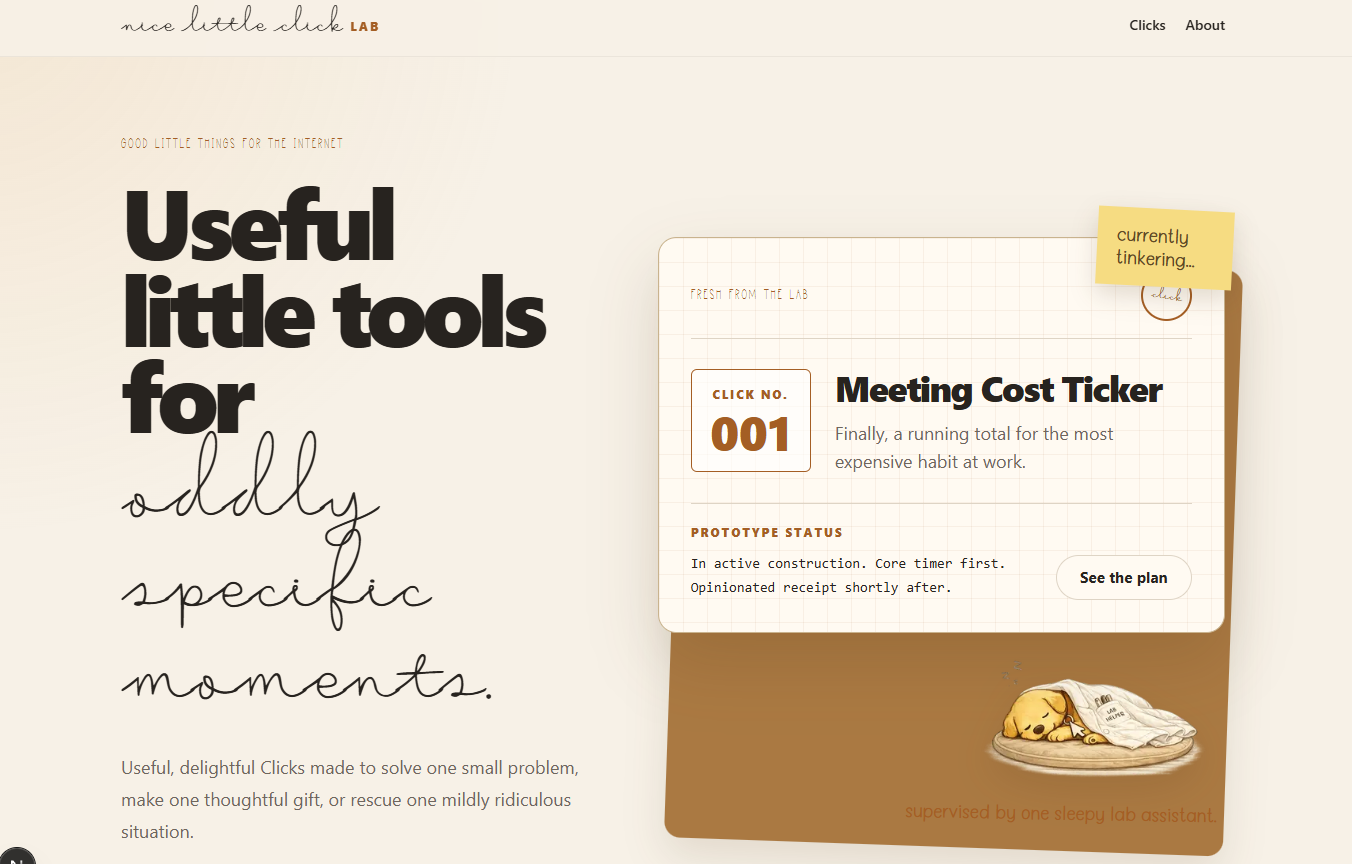
The Lab launched with a working product instead of an empty brand page and a large roadmap.
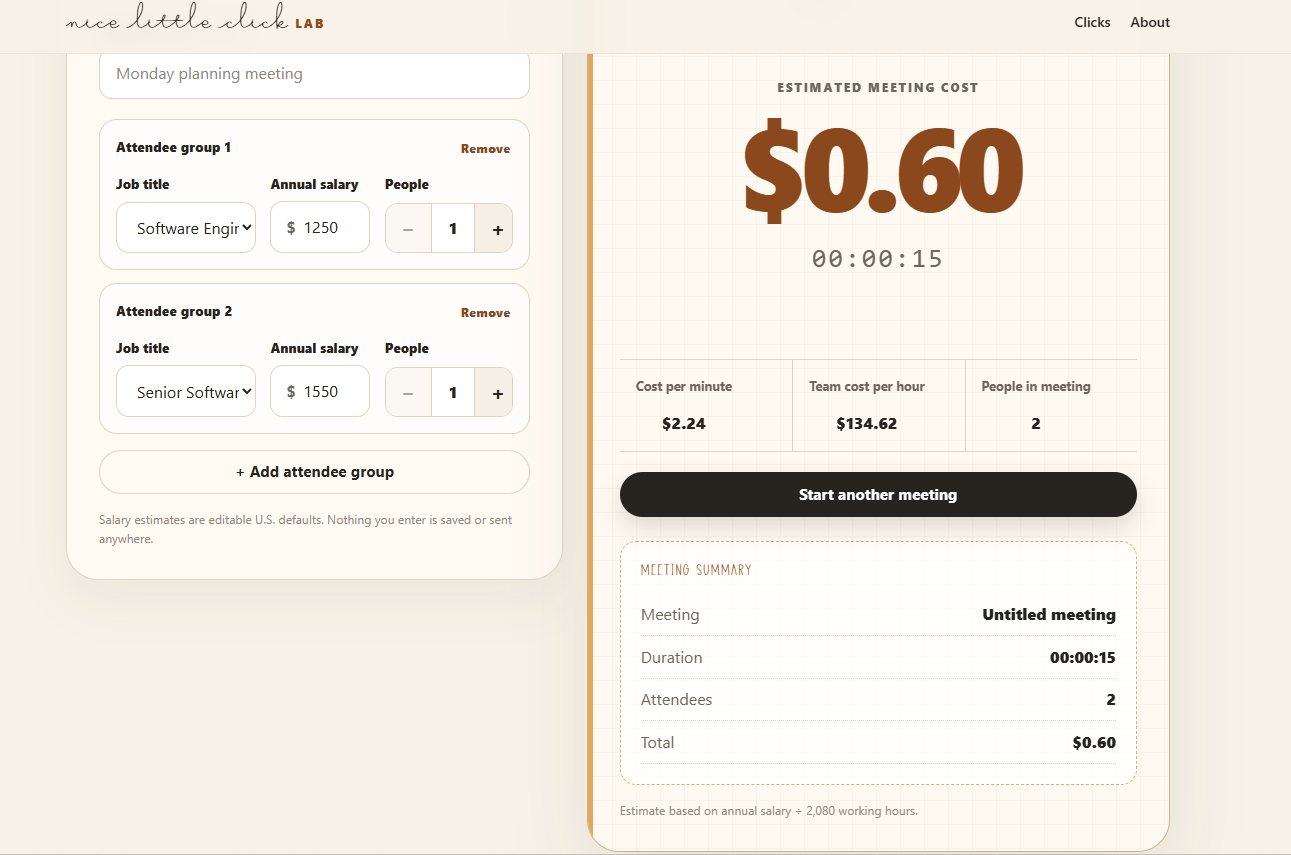
The first version handled meeting state, attendee groups, editable salary estimates, elapsed time, and live cost.
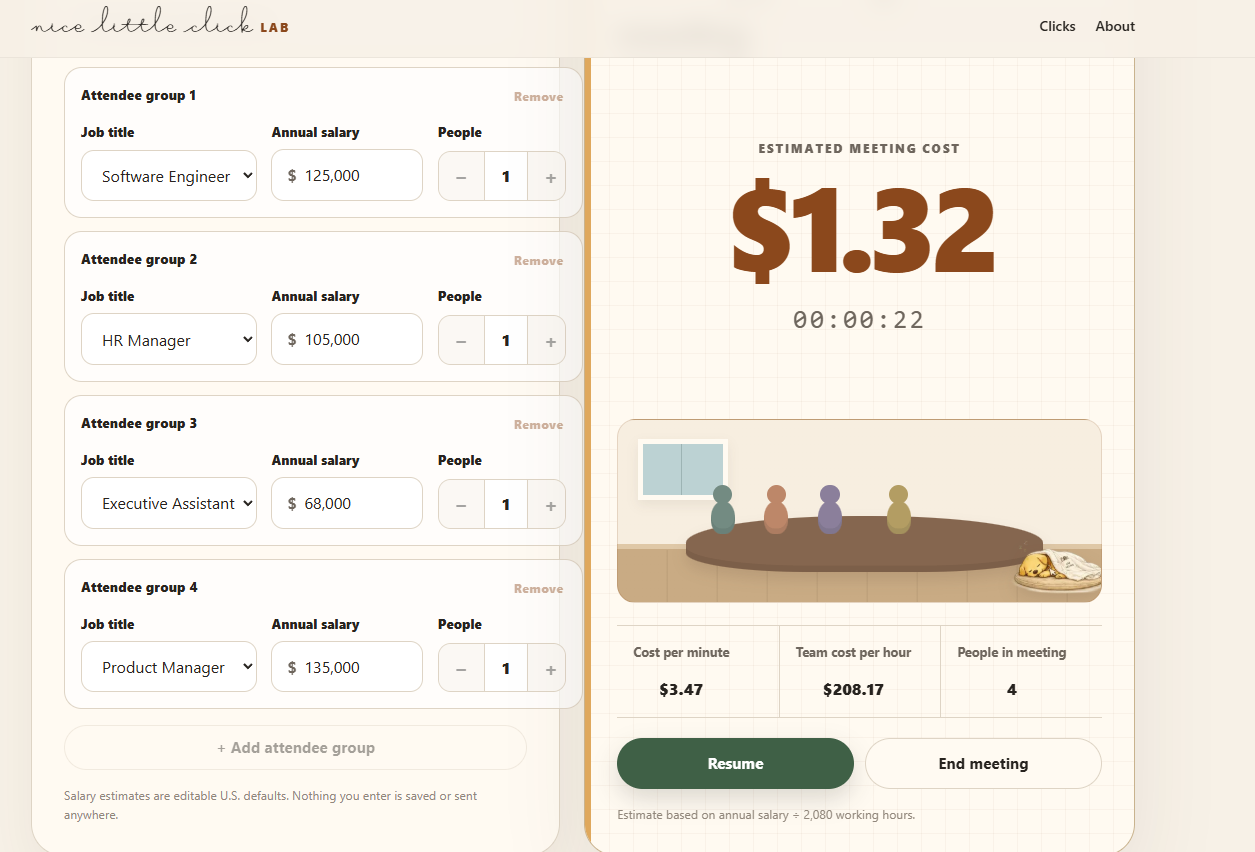
After the cost engine worked, I added the meeting-room scene, faceless attendees, light workplace humor, and Click asleep in the corner.
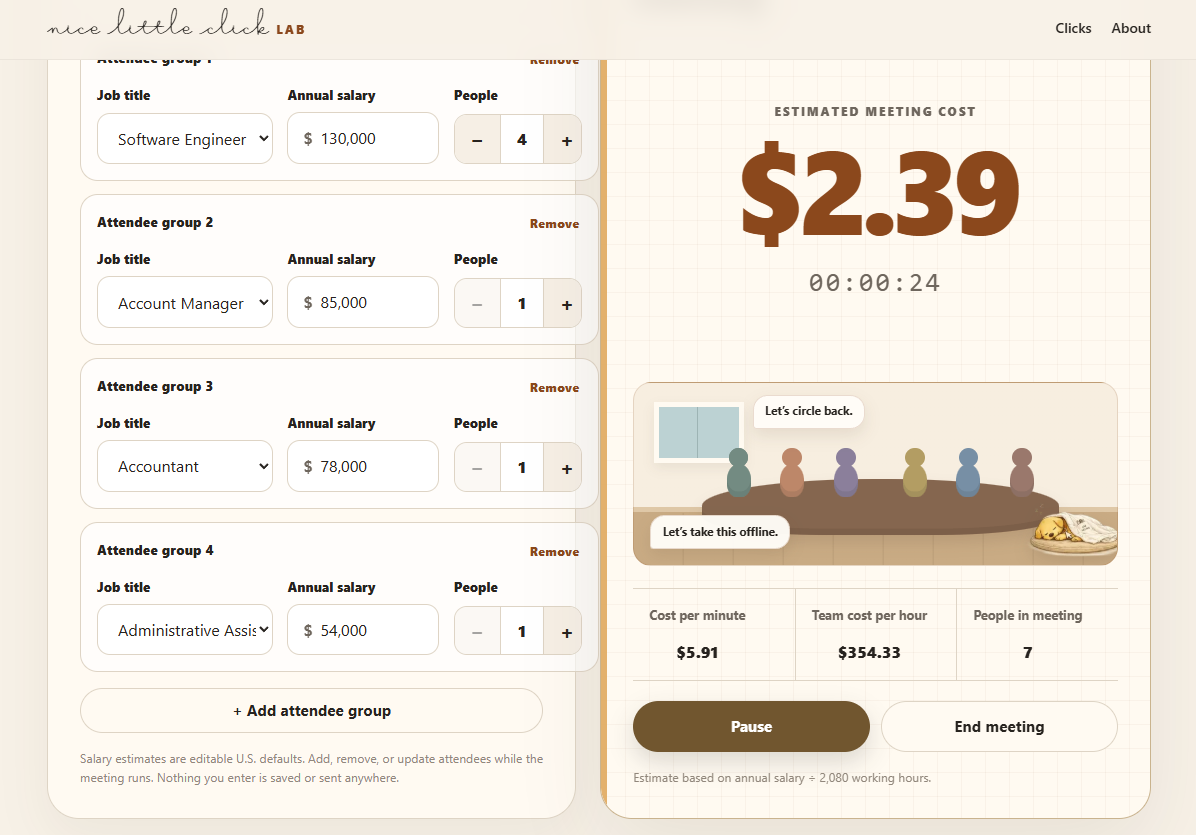
Users can change attendee groups while a meeting is running. Past cost remains intact while the updated team rate applies from that moment forward.
The tool uses an editable local list of common U.S. job titles instead of a live salary API. This avoids latency, cost, rate limits, and another data dependency.
People join late and leave early. The app keeps the cost already accrued, then applies the new team rate from that point forward.
Meeting names, salary estimates, attendee counts, and totals stay in the browser. Users can start, download the result, and leave without an account.
The meeting ends after eight hours. This limits runaway totals without saved sessions or account infrastructure.
The copy answers questions and introduces the studio without adding a sign-up gate.
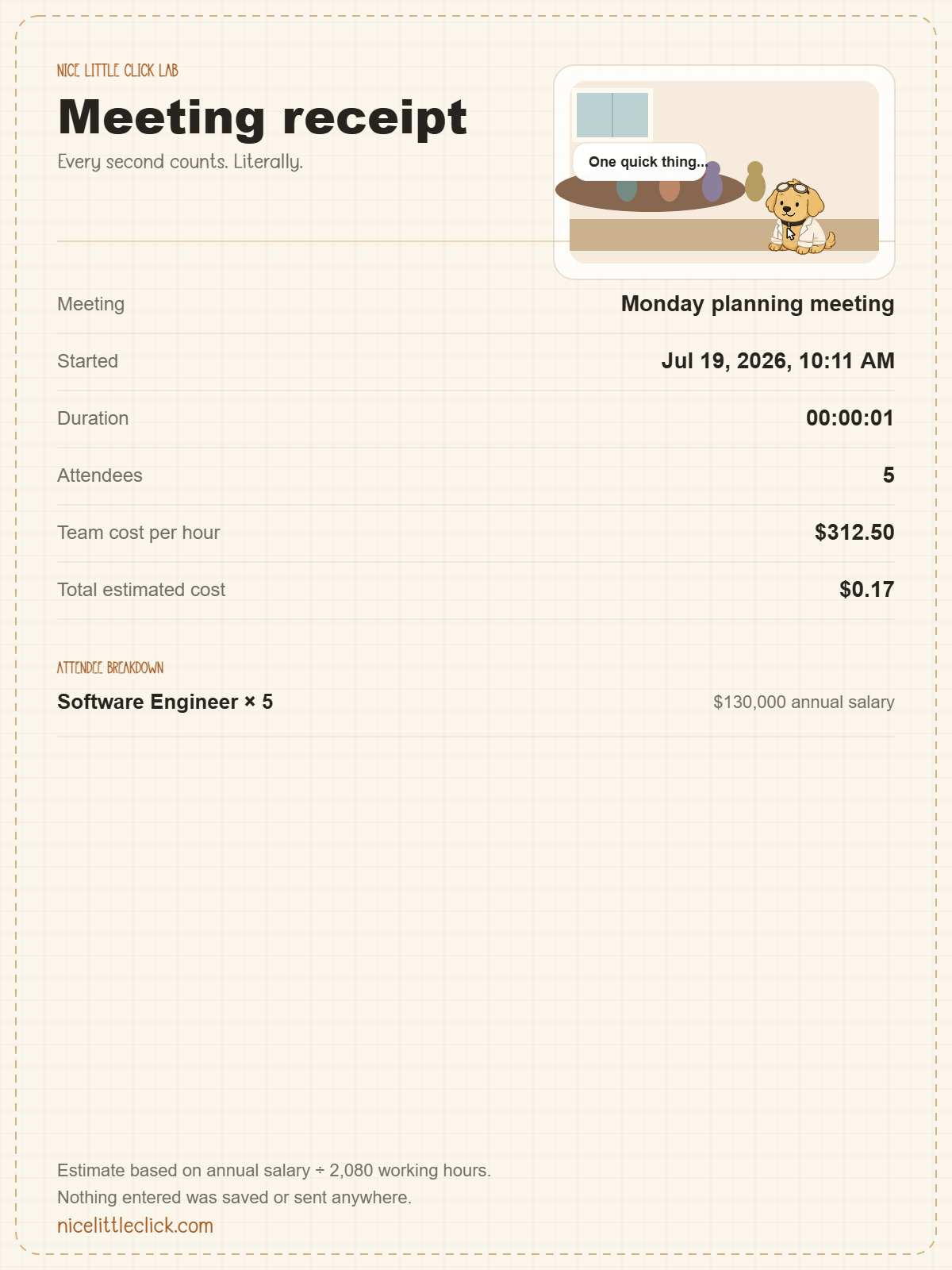
The page first explains the tool. The line “Every second counts. Literally.” adds personality after the task is clear.
Copy about editable salaries, browser-only data, and the eight-hour limit answers common questions before they block use.
The mascot, screenshots, and branded receipt introduce the studio without asking for an email address or sign-up.
On narrow screens, setup, live cost, and completion follow a vertical, tap-friendly flow.
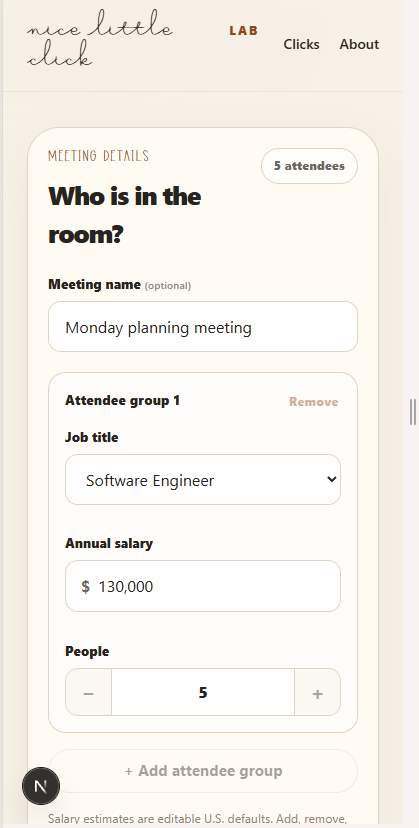
Attendee setup
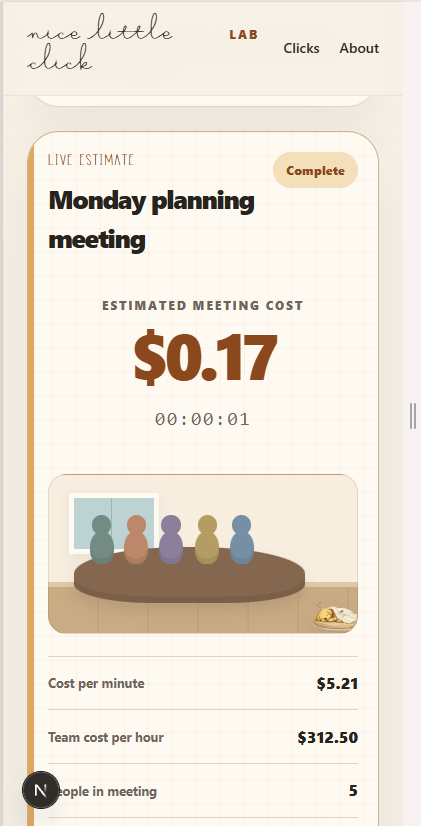
Live ticker
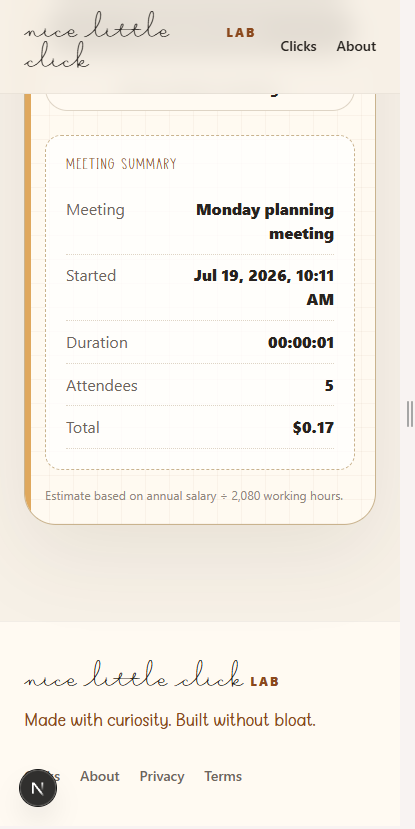
Meeting summary
The browser creates a PNG that users can save or share. The receipt also carries the Lab identity beyond the site. It is legible and functional, with a visual refinement pass planned after launch.
Next.js + React
TypeScript
Tailwind CSS
Client-side only
None
Editable local defaults
Browser-generated PNG
Netlify
These features were not needed to learn whether people would use and share the core product.
User accounts
Saved meeting history
Team dashboards
Organization-level reporting
Live payroll integrations
Real-time salary APIs
Persistent share links
Subscription billing
There are no performance or conversion claims yet. The current release works, costs little to maintain, and can inform the next product decision.
Nice Little Click Lab shows how I define an audience, choose a fair price, keep the architecture small, ship a useful product, and use real behavior to decide what comes next.